Toolsema ~ v1.0
A downloadable tool
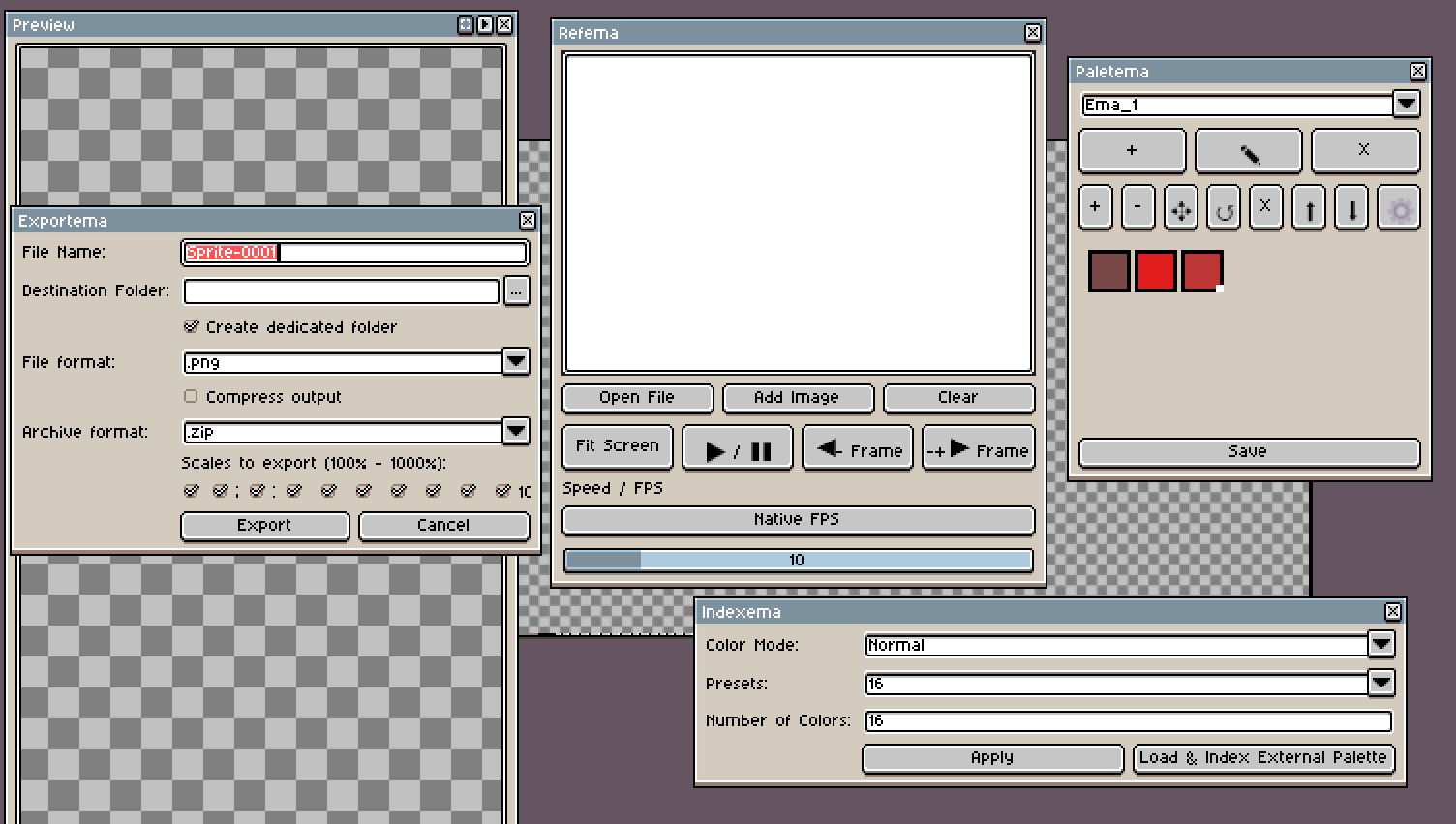
Below is a suite of four tools/extensions developed with the assistance of artificial intelligence, created to streamline and optimize píxelart and animation workflows:
1. Exportema
Designed to simplify and accelerate the process of exporting a single file into multiple scaling sizes simultaneously. It allows you to organize exported assets directly into a target folder or compressed into .zip or .rar archives.
2. Indexema
Created to easily index or posterize images by reducing their color palette, using either preset values or custom user settings.
- Key Features:
- Supports grayscale mode and custom color ramps based on a chosen hue.
- Generates and extracts the color palette used during indexing, which can then be exported for use in future projects.
- Allows indexing using existing color palettes (fully compatible with native file formats).
3. Refema
A practical reference extension to enhance drawing and animation workflows.
- Key Features:
- Runs reference
.gifanimations in the background while you draw, making it easier to analyze and understand movement frame-by-frame. - Features playback controls: play, pause, fast-forward, rewind, and customizable FPS (frames per second).
- Allows you to reposition the reference frame anywhere across the canvas. (Note: Supports one active reference at a time).
- Runs reference
4. Paletema
Designed to keep dedicated, ready-to-use color palettes right at your fingertips without relying solely on the software's default palette window.
- Key Features:
- Comes with ready-made palette presets tailored for skin tones, hair, shading, and more.
- Fully customizable: edit, rearrange, delete, import, and export palettes to share with other artists or reuse across different projects.
- Exports natively using Aseprite's default palette file format for maximum compatibility.
A Note on Development & Support:
All four tools were built with the help of AI tools to address specific workflow bottlenecks and simplify repetitive tasks in my personal production pipeline. I hope they prove just as helpful to the broader artist community!
Any feedback, bug reports, or suggestions for improvement are greatly appreciated. Feel free to leave a comment here or reach out via my social media channels so I can provide proper support.
"All of these tools were developed with the assistance of artificial intelligence, as I currently lack advanced programming skills in the specific languages required for this type of extension creation. The main purpose of this project was to solve common workflow bottlenecks and streamline daily tasks, making repetitive processes faster and much easier to manage. I hope they prove just as helpful to the community!"
Download
Install instructions
Step 1: Install the extension.
Step 2: Go to the keyboard or shortcut settings to assign a specific key for direct access to the tool, as it does not currently appear directly in the panels—an issue expected to be resolved in future versions.
Leave a comment
Log in with itch.io to leave a comment.